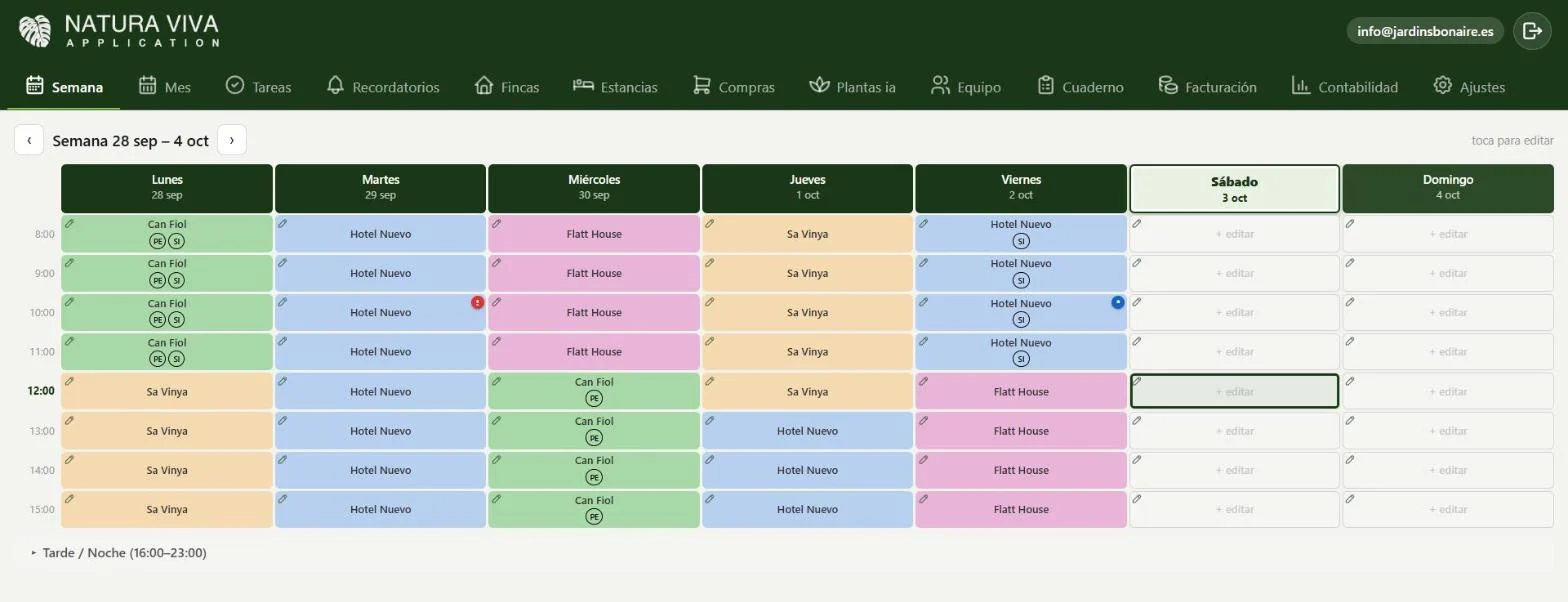
Put each crew at its property, morning and afternoon. Each colour is a property: see who's working where all week at a glance. And every worker sees it on their phone right away.
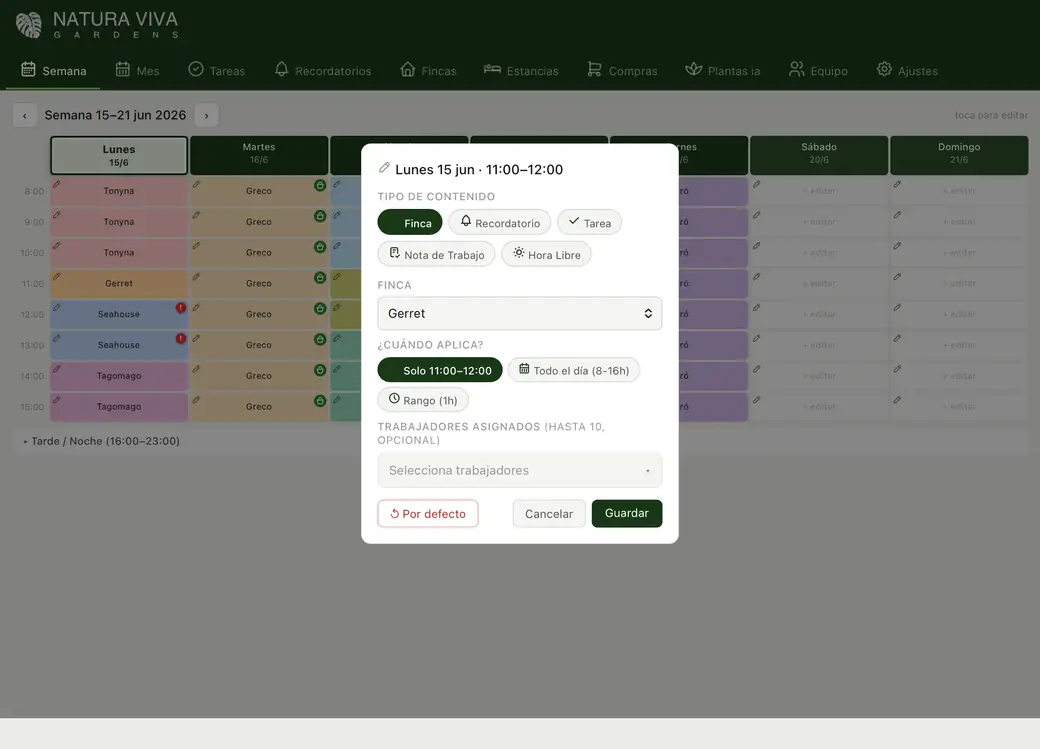
Workers, a note or a task with its time. You can put several people in the same slot. The schedule runs from 8:00 to 15:00 and, if you need it, the afternoon from 16:00 to 23:00.
By the hour, from 8:00 to 23:00Several people per slotNotes and tasks in every slot
natura-viva · assign work
Task assigned
Repeat
Repeat the plan and forget about it.
Maintenance work repeats. Copy a week, a fortnight or a month forward, up to 52 times, and your season is set up in minutes.
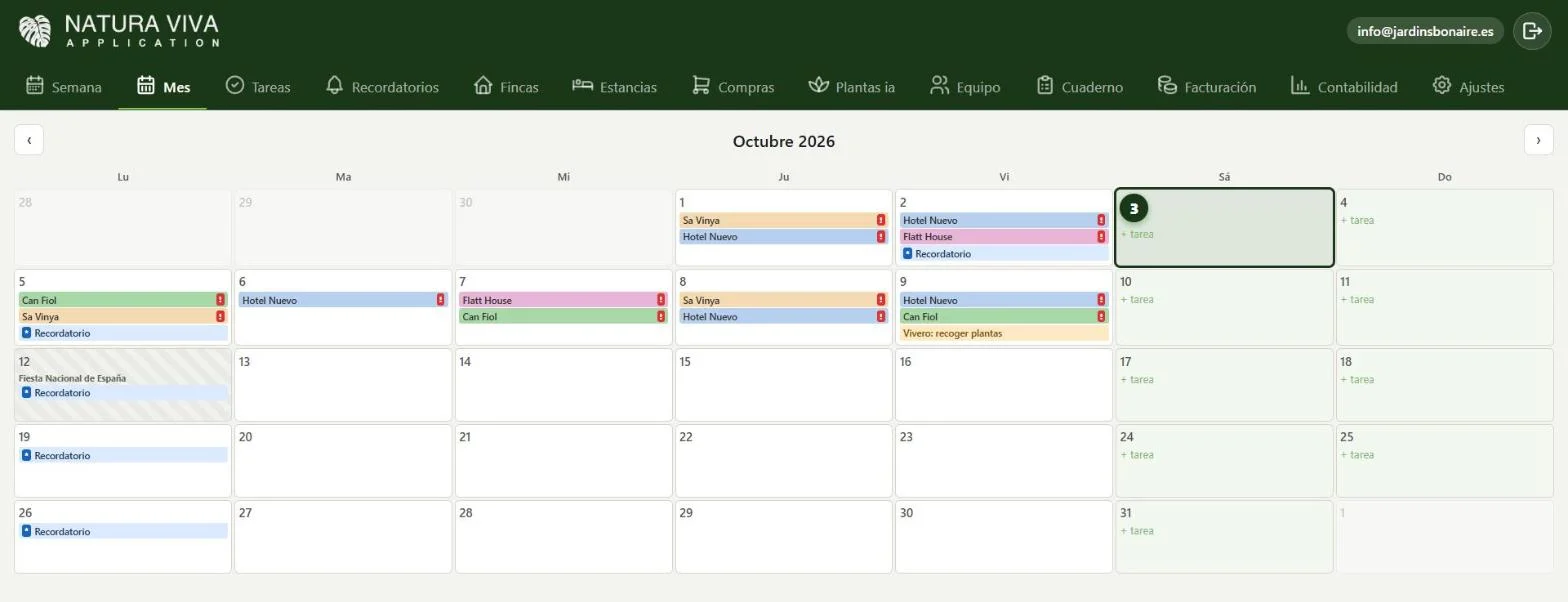
Repeat a week, a fortnight or a monthUp to 52 repeatsSee each day's workload in month view
natura-viva · month
Season all set
Tasks
Your team's tasks, in one list.
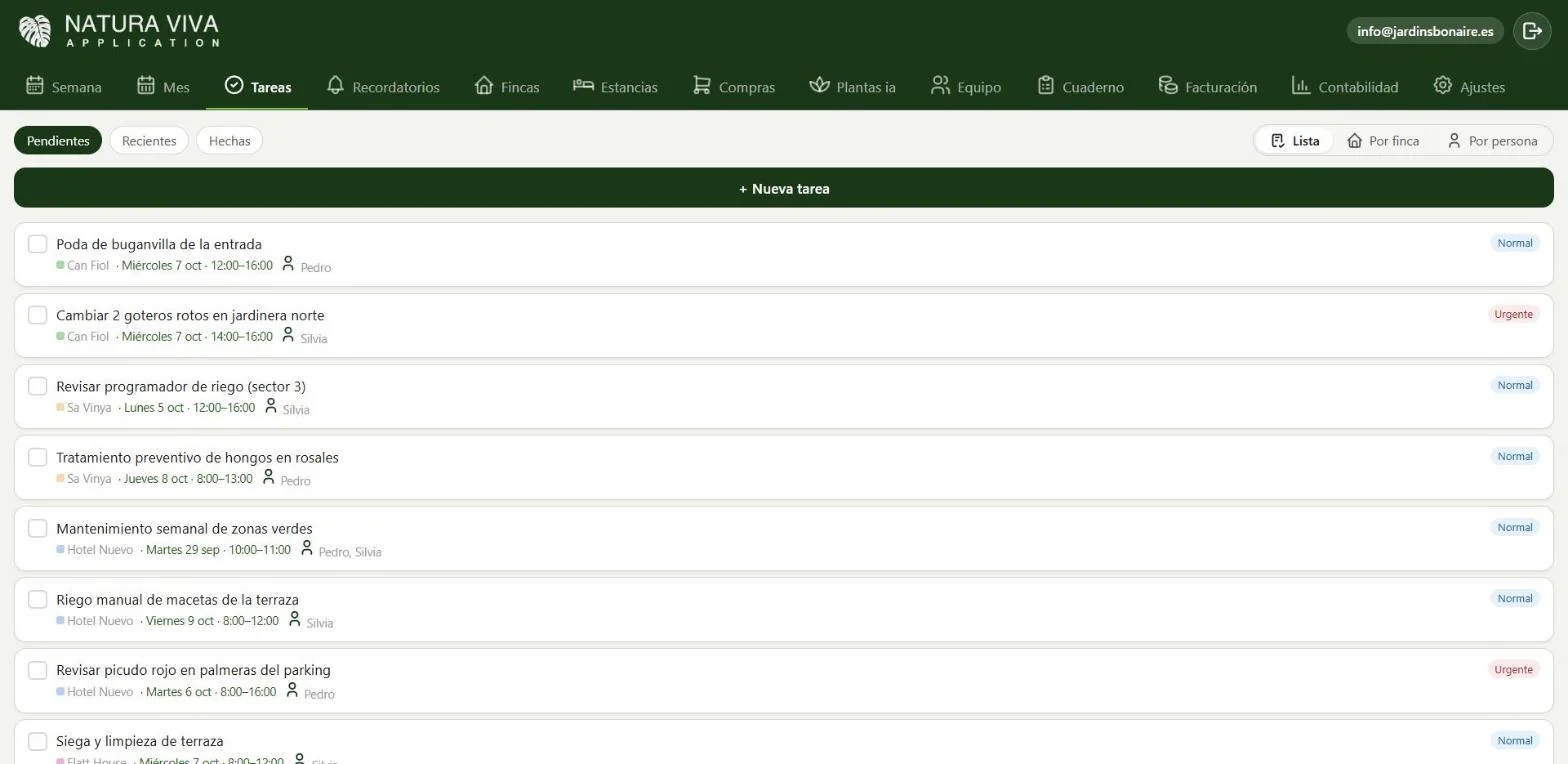
Pending, recent and done. By property or by person, with normal or urgent priority. Mark them done with a tap, one by one or several at once.
Normal or urgentBy property or by personDate, time and person in charge
natura-viva · tasks
Urgent
In detail
Everything you need to know.
All your crews' week on one screen
Natura Viva's weekly schedule is a grid with the days of the week and working hours. Each property has its own colour, so at a glance you know which crew is in which garden, morning and afternoon.
Tap a slot and assign workers, a note or a task with its time. You can put several people in the same slot.
Schedule from 8:00 to 15:00 and afternoon from 16:00 to 23:00
Several people per slot
A colour for each property
Repeat the plan and forget about it
Garden maintenance repeats itself. That's why you can copy a week, a fortnight or a month forward with one tap, and have the whole season set up in minutes.
The month view brings together jobs, reminders and public holidays, so you can see how busy each day is before committing to a client.
Your team sees it on their phone right away
When you assign a job, every worker sees it on their phone and gets an alert even with the app closed. If you change something last minute, change it once and everyone gets it. More in real-time alerts.
Tasks have normal or urgent priority and are ticked off from the phone, so you know what's pending and what's done.
Questions
Frequently asked questions.
Can my workers see the schedule?
Yes, each on their own phone, and they get an alert when you assign them something or change their calendar.
Can I copy a week?
Yes, you can repeat a week, a fortnight or a month into the following ones.
Just one app
And all this, in the same app.
They’re not separate programs: they live together and talk to each other.