14 days free. Sign up now and lock in the launch price forever LIMITED-TIME OFFER Ends in --
HomeOn your phone
No hassle

Gardening app on the phone you already carry.

You don’t need a computer, and your workers don’t need to be tech-savvy. They open it in the browser, add it to their home screen, and from there they clock in, see the day’s work, mark tasks as done, snap receipts and log treatments. You see it all instantly on your tablet or computer, with the same account.

14 days freeNo cardNo lock-in
app.appnaturaviva.com
Natura VivaGardening business management
Natura Vivaapp.appnaturaviva.com
Share
Add to Home Screen
Open in browser
Today · Crew APedro
8:00 · Sa Vinya · Lawn
11:00 · Can Pere · Watering
16:00 · Pruning at Finca Roca
Reminder · Check irrigation
Clock in
Worked today0h 00m
Holidays22 days left
CalendarCameraMessagesMapsPhotosEmailCloud Natura Viva
Install

Ready in three steps.

No app stores, no waiting. Coming very soon to the App Store and Google Play too.

1

Open the website

Go to app.appnaturaviva.com in your phone's browser (on iPhone, use Safari).

2

Add it to your home screen

Tap Share, then “Add to Home Screen”.

3

Done

The Natura Viva icon shows up like any other app, and it'll ask permission to send you alerts.

From your phone

Your day-to-day, right in your pocket.

Every worker sees their own work and does it from the garden, without stopping by the office.

  • Clock in, clock out and breaks
  • See the day's work and tick off tasks
  • Snap receipts and log treatments
Monday, 6 October7:52
NATURA VIVA nowNew job in your calendar
Mon 6 Oct · 8:00 · Sa Vinya
NATURA VIVA 1 minReminder
Check the automatic irrigation at Can Pere
NATURA VIVA 5 minArrival at Hotel Nuevo · Müller family
Tomorrow at 16:00
NATURA VIVA 12 minChange to your calendar
Tuesday: Flatt House moves to the afternoon
On all your devices

The same account on phone, tablet and PC.

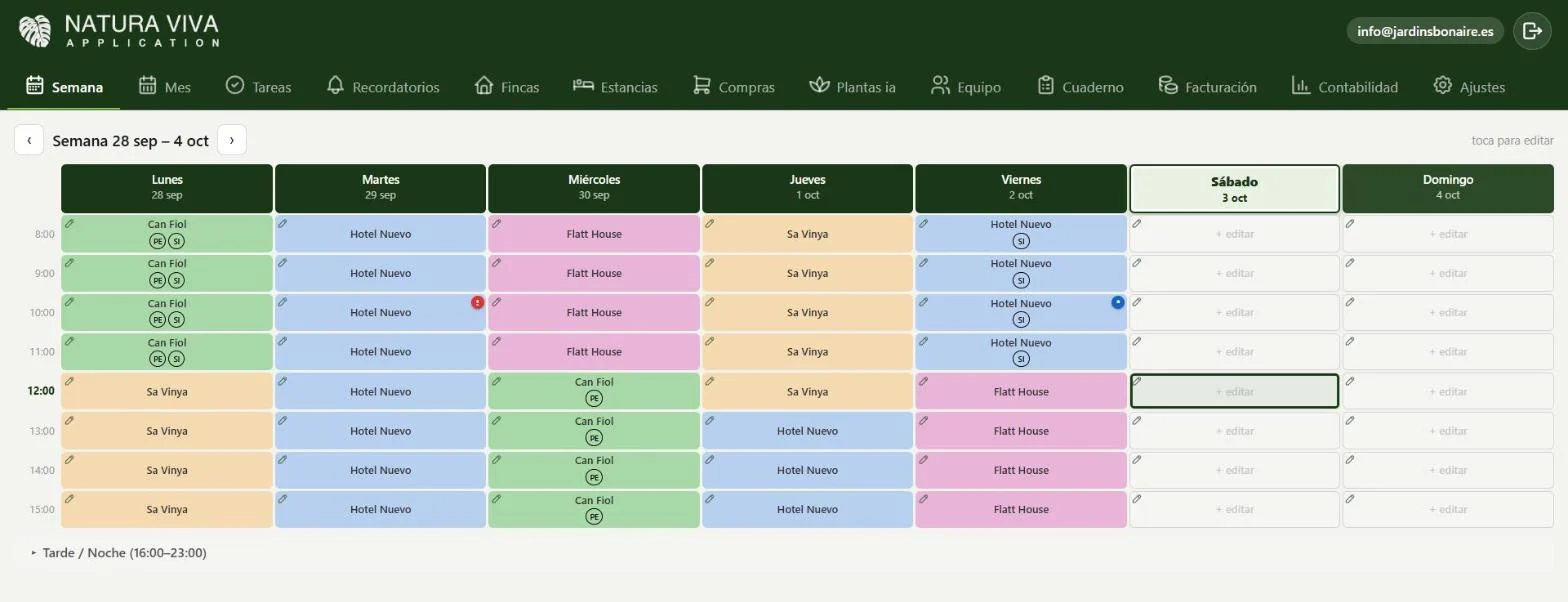
What you enter on your phone shows up on your computer instantly, and vice versa. The weekly schedule looks better on a big screen, and clocking in fits in your pocket.

iPhone and AndroidTablet and computerSynced instantly
natura-viva · this week
This week screen in the Natura Viva app
In detail

Everything you need to know.

Built to work from the garden

Your team doesn't work at a desk. That's why Natura Viva runs on the phone: clocking in, checking the day's schedule, ticking off tasks, snapping a receipt or logging a plant protection treatment.

And at the office or at home, the same account on your tablet or computer, with everything synced instantly.

  • iPhone and Android
  • Tablet and computer
  • The same account on all your devices

Nothing to install

Open it in your phone's browser and add it to your home screen: the Natura Viva icon appears just like any other app. Your workers don't need to be tech-savvy.

If you’d like to see it before you start, try it free for 14 days.

Questions

Frequently asked questions.

Do I have to download it from an app store?

No need: it works from the browser and goes on your home screen. Coming very soon to the App Store and Google Play too.

Does it work on iPhone and Android?

Yes, and on tablet and computer too, with the same account.

If you’ve made it this far

Try it in your company today.

14 days free, no card needed. Set up your first week and see the difference. Questions? Message me and I'll show you around.

Enlarged screenshot
Natura Viva See what Natura Viva can do for you See the app Try it free for 14 days